Google Business Profile: Granting Access
Beyond just linking up to our system, granting access to your Google Business Profile listing empowers OMG National to elevate any GBP to the next level. Luckily, granting access is simple and easy.
- Begin by logging into your Google Account, and search for your “Business name” on Google.
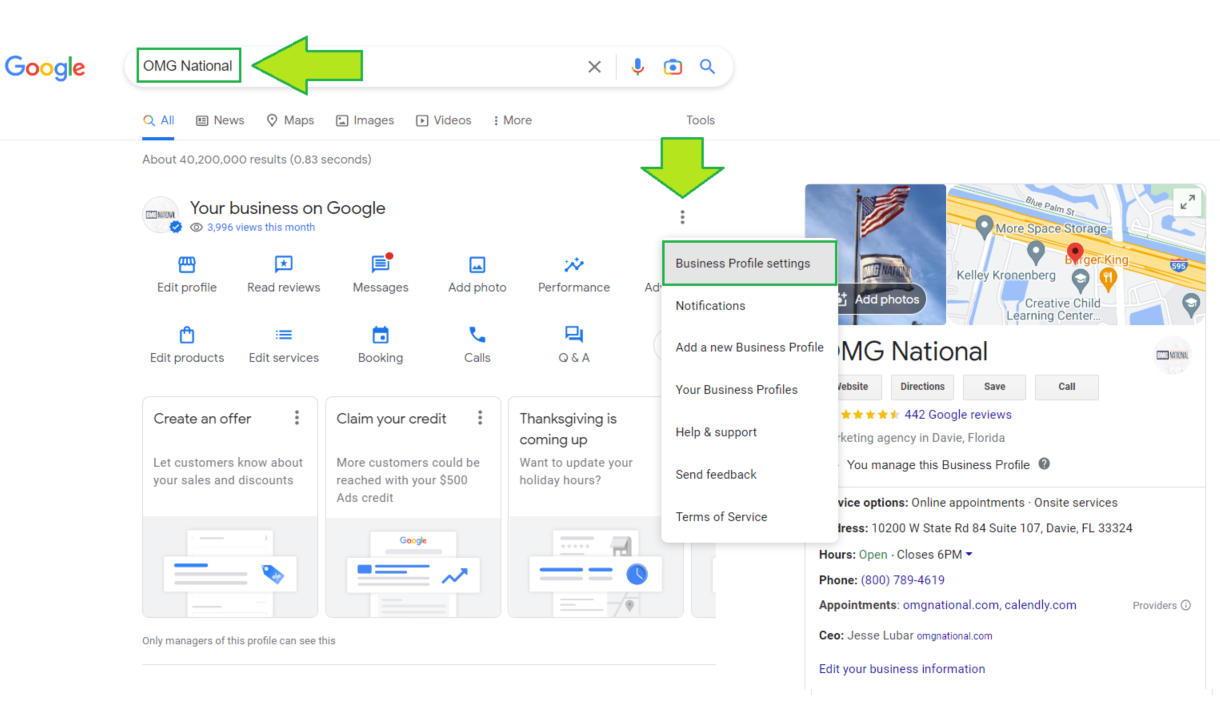
2. Once “Business Profile settings” is clicked, select the “Managers” button
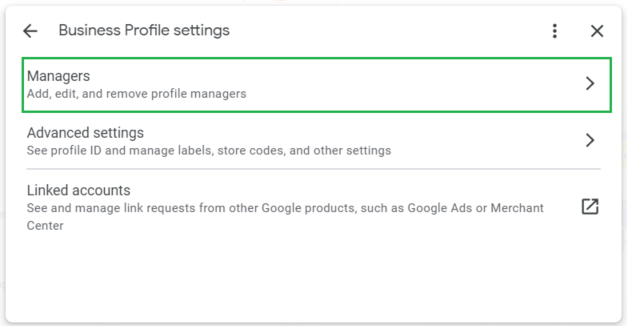
- Select “Add”.
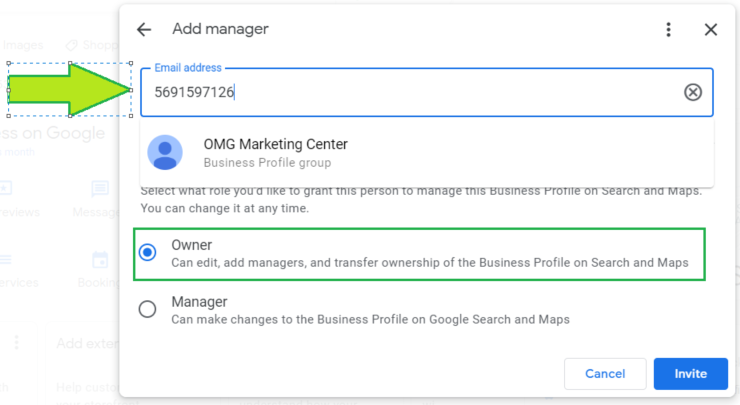
*OMG National will receive an invitation to own the Google Business Profile, and we will accept. New owner(s) or manager(s) of a Business Profile must wait for 7 days before they can manage all the features. During this 7-day period, they get an error if they:
-
- Delete or undelete a profile.
- Remove other owners or managers from a profile.
- Transfer primary ownership to themselves or a third user.
Facebook: Granting Admin Access
- Log in to your Facebook and go to your business page. It will be found in the left hand menu under pages or you might have it easily accessible in your shortcuts.
- Click Page Settings on the bottom left corner of your page.
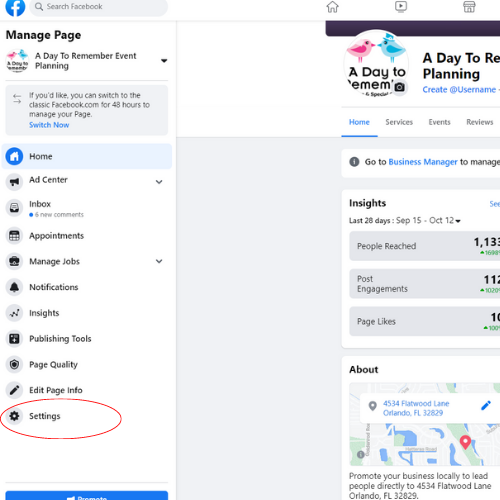
- Click Page Roles on the left-hand menu.

- You should see our Pending Partner Request in the middle of the page. Please click on "Respond to Request" and accept. This will require you to confirm your password to approve.

